
I love the cloud. The convenience of having all my documents, photos, and media available at all times is absolutely amazing. That functionality has saved me more times than I can count. So I get it, the cloud offers some incredible benefits.
What we often forget is to ask, who actually has access to all my data once I put it up on the cloud? With the rise of AI and as the various tools are linking more of our data together for companies that we may have never even heard of, this question haunts me.
This question is also what has been pushing me towards self-hosting for privacy. I still make extensive use of the cloud, but the vast majority of my media no longer lives there. These days, most of what used to sit in someone else’s data center now sits on a Synology NAS in my own house. This means no subscriptions to decide what I can watch. No algorithm that decides what I can see. This is the story of why I made the switch, what I gained, what I gave up, and what self-hosting for privacy actually looks like day to day.
What Self-Hosting for Privacy Really Means
Self-hosting for privacy means running your own services on your own hardware instead of renting space from a cloud provider. So in practice, this means instead of Google Photos, you are running your own photo server. Instead of using Spotify, you store your own music files. Instead of streaming from Netflix, you can store and play them yourself.
This falls right into our digital minimalism principles where none of this is about rejecting technology. This is purely about deciding who controls it. When your data lives on a drive in your closet, no company can scan it for ads, sell insights about it, or lock you out because a bot flagged your account. You and you alone have the keys.
Why I Started Leaving The Cloud
There wasn’t one single reason why I started leaving the cloud. Some of it was privacy related, other parts were financial, others were purely out of frustration. It was a bunch of little things that all culminated into a move that made me trust the cloud less and less.
My first foray into moving off the cloud was with my music. The vast majority of my music was stored on the cloud. Then one day a certain major music provider decided that I no longer owned the rights to a song I had purchased and poof! It was gone from my library. A song I had paid $1 for, was no longer mine. This happened multiple times and by the time I’d lost three songs, I was over it. I moved away from that platform and started working on a way to host my own library.
A similar thing happened with my movies and TV shows. Different provider, same outcome. It’s incredibly frustrating to have things I legitimately paid for just yanked away because some big platform decided that I no longer had rights to it. Fortunately, the solution I picked for my music also worked for movies and TV shows.
Then there was the privacy changes. The cloud storage provider I’d been using for years quietly changed their terms of service. I didn’t lose any files, but suddenly the terms had changed to allow them to use my files to train other products. Specifically their AI tool they were working on. Nothing was technically stolen or breached. It was all disclosed in a document that none of us ever read.
This is when self-hosting for privacy stopped being a hobby idea and I started turning it into a plan. Costs had been increasing for years, the storage tiers had been shrinking, and services kept getting shut down with a few months notice. Convenience came with a cost, and I’d been paying for it without even noticing it.
Now that’s not to say that the cloud is evil. I stand by my earlier statement, I love the cloud. It has its place in the world. It does mean however, that the deal is not what it looks like. You are not just paying for storage. You are trading visibility into your own data for convenience.
There is also the question of privacy breaches. Every large cloud provider is a single target holding millions of accounts at once. When one of those services gets compromised, your files are caught up in something you had no part in, no warning about, and there was nothing you could have done to prevent it. Now that is not saying that hosting your own services is immune to every risk. However, it’s not a high value target either.
Choosing the Right NAS for the Job
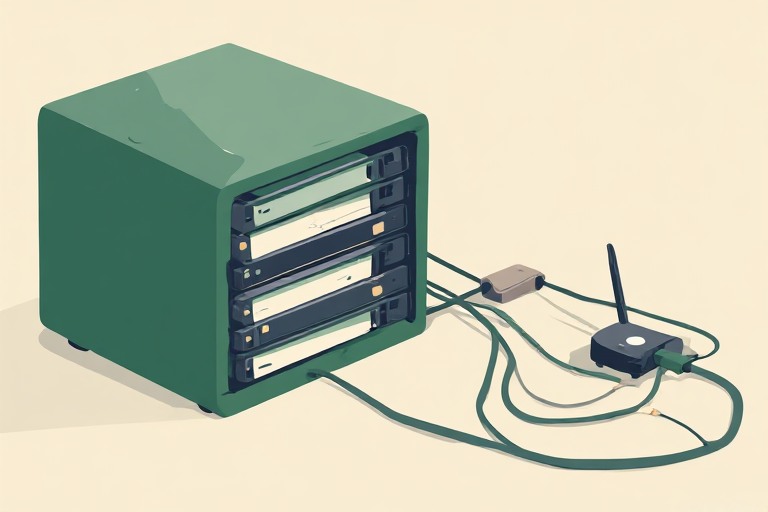
First, let’s start with the basics of what is a NAS? NAS is short for network attached storage. It’s a small dedicated computer built to store and serve files on your home network. There are a ton of options out there. I personally went with Synology because the software is very approachable and the hardware is reliable. You also don’t need to be a computer genius or a systems administrator to run one, though it does help.
A few things mattered more than anything when I picked mine:
- Drive bays. 2 drives is not enough. I wanted at least four. More drive bays meant that I had more room to grow my storage later without starting over as well as allowed me to ensure redundancy.
- RAM and CPU headroom. I needed to ensure I had enough processing power to run Plex, PiHole, various other apps, as well as backups.
- Redundancy. I mentioned this when I was looking at drive bays. Synology uses proprietary technology for redundancy. A lot of NAS devices use RAID. RAID keeps a single failed drive from taking your whole library with it. Redundancy is not a backup, but it does buy you time to recover.
- Expansion options. A NAS that can grow with you saves money down the road compared to having to replace the entire device.
This box is the most important device in our home. It is the foundation of my self-hosting for privacy setup. Everything from the media server, to the network wide adblocker, to the backups run through it.
Moving My Movies, TV Shows, and Music
The biggest shift for my household was media. I moved my entire library of movies, TV shows, and music from streaming apps and physical media onto Plex, which runs directly on my NAS.
I love Plex because it organizes everything the way a streaming service would. You get posters, episode guides, watch history, all of it. But the files are mine. This means nothing gets pulled from the catalog because a licensing deal expired. Nothing gets buried because they want you to upgrade to a different tier of service. There are no ads! When I rip a movie that I own or add an album that I bought, it stays available for as long as my drives do.
The setup was fairly easy, but depending on the size of your library, it can be time consuming. I’m going to be up front, we had a pretty large shelf of DVDs and BluRay discs and a pretty slow computer. It took me the better part of 5 months to fully convert my collection from physical to digital.
Then once I converted it, I had to ensure I was following the correct naming scheme, build out a folder structure, and setup remote access so my family can stream video outside the house without opening the whole network up to the Internet, which is a function you have to pay for with Plex.
I also keep a lightweight instance of Jellyfin as a backup to Plex because it’s fully open source. When it comes to media in our household, redundancy is key. So if anything ever happens that I need to move away from Plex, Jellyfin will be there. Since I largely use the same tool to manage Jellyfin as Plex, I can easily keep the two in sync. Even with it functioning as a backup, Plex is what my household uses the most on a day to day basis.
The result feels almost exactly like Netflix or Spotify, except the library only shrinks when I decide it should.
Moving Photos and Documents
Once I got Plex up and running the way I wanted it, it was a pretty easy sell. The ability to watch The Office and Harry Potter on demand was all it took to sell my wife on it. And for me, eliminating an entire bookcase of DVDs meant a lot less visual clutter in the house. Everybody wins!
Photos and documents were the part that made this feel less like a hobby project and more like a real shift in how I handle privacy in my life.
I moved my entire photo library off the cloud and onto a self-hosted photo tool running on my NAS. It can backup from my phone, sort by date and location, and do basic facial grouping locally, all without sending a single image to a third party server for processing. Plex and Jellyfin also have photo capability, but it is far more limited.
Documents followed the same path, where they now are self-hosted on my NAS and they mirror what the cloud file storage does, minus the company sitting in the middle reading the metadata.
This is the part of self-hosting for privacy that matters most to me. Media is nice to own. Photos of my kids and copies of my tax documents are things I care about protecting and do not need to be in the hands of a third party.
The Privacy Wins
Control is just one small part of gains when you start self-hosting for privacy. The absence of tracking is really nice. My media habits are no longer being logged by an algorithm trying to guess what to sell me next. My documents aren’t being scanned for keywords to target ads. My family photos are no longer training a facial recognition model somewhere I will never see.
The real wins though are the things that stop happening that absolutely drove me crazy. There is no company deciding my account looks suspicious and locking me out while I wait on hold (score one point for Jellyfin over Plex here, but that’s part of a whole different topic). There are no surprise price increases because a product got folded into a bigger subscription bundle. If something breaks, I am the only one who can lose my files. Which, you’d think would be less reassuring until you encounter a situation like I did where a major company whose motto used to be ‘don’t be evil’ lost a ton of my data…twice.
There is also a financial angle to it that is worth looking at very honestly. I still pay for electricity, drives, and the occasional hardware upgrade. Self-hosting is not free. However, it has replaced several subscriptions I was paying for with one that I own outright. Over time, the math works out in my favor.
The Trade-Offs
I’m going to be straight up with you. Changing your home model to self-hosting for privacy can be time consuming, frustrating, and expensive. Depending on how far down the rabbit hole you want to go, it’s far more effort than just hitting subscribe so you want to think carefully before you pursue this path.
You become your own IT department. That means updates, security patches, and troubleshooting is on you. If a drive fails, you are the one replacing it, not a support chat. Not to mention the security implications if you don’t configure it correctly. I cover some of that in my personal security audit I also cover some of the network configuration settings that deal with the security issues in my Network Security Checklist.
Backups take real planning and effort to ensure they work. A NAS in your house is not automatically safe from fire, theft, or a bad power surge. I had to setup a second device to backup my NAS to because the redundancy of the drives on my NAS is not enough.
There is also a real learning curve. Setting up remote access, managing user accounts, and keeping your software patched takes time up front. Mistakes during this process can expose the data you are trying to protect. If you aren’t comfortable poking around in settings on your NAS or your router, then this isn’t for you.
It can be slow. Streaming a movie off my NAS while on vacation can be slower than a service with a global content delivery network behind it. I accepted that trade-off for control over my own data.
Then there is the upfront cost. A capable NAS, the drives, and having to replace parts over a few years is a real cost. I’ll tell you up front that my initial NAS setup was nearly $1200. Have I gotten my money’s worth out of it? Absolutely. If you were stacking subscriptions that you get to cancel to swap to self-hosting, then it will pay for itself over time. But especially in year one, it’s not the cheapest option.
Is Self-Hosting for Privacy Worth It for You?
If you already lean toward digital minimalism, then the pull towards self-hosting for privacy tends to be a natural progression. Both are based on the same premises. Fewer things owning your attention, fewer companies owning your information, more intention behind what you keep and how you keep it.
You don’t need to migrate everything at once. Start with one thing. I recommend starting with music because that tends to be the lowest barrier to entry. Move it to either Plex or Jellyfin just to see how you like it. Try self-hosting a photo backup before you cancel a cloud photo plan. I personally love how it feels to be the only one with access to my files.
For me, self-hosting for privacy has been one for the better decisions I’ve made about my own technology. It took more setup than I had ever planned on and it asks for ongoing attention. Much of which can be automated. But when I open my media library and I don’t have to worry about another company being involved, it feels like the right trade.