

Last Update: June 24, 2026
Look around at how many devices that you have with you at any given time. Just on me right at this moment I have my iPhone, my Apple Watch, my AirPods, and my MacBook. Then looking around I have quite a few more devices. At first glance, it might seem like I’m suffering from technology overload.
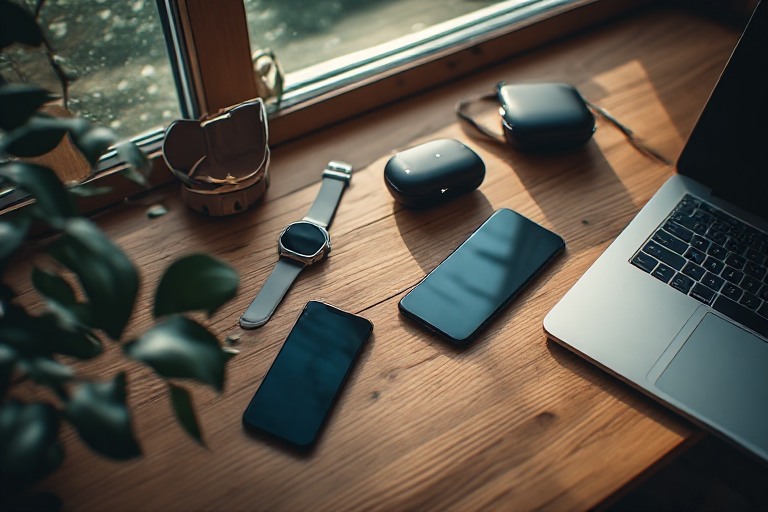
With all of this tech around, each one has its own demands on your attention. They need to be charged, backed up, updated, repaired, and eventually replaced. Even before it asks any of that of you, you needed to purchase it, which came with its own set of demands on your attention. It required your money, your research time, and a decision. When you stop to think about it, that’s a lot of overhead that we never really take into account the cost of.
You can be forgiven if you think that digital minimalism is anti-technology. It’s not. It’s all about intentionality. When it comes to technology, devices tend to make up the bulk of our interactions. With that in mind, the goal is simple:
Own hardware that genuinely serves your life and is configured to work for you.
When I set out to write this guide, that was the guiding principle behind device minimalism. I want this page to be the firm foundation for everything on this website related to devices, whether that is smartphones, laptops, smart home gear, or media systems. I cover it all.
Your Device Ecosystem Matters
Now you’ll probably note earlier that I started listing off a bunch of Apple products. We are primarily an Apple house, not because I have some undying love for Apple or that I think that they can do no wrong, or even because I think they design better products for digital minimalists.
I’ve been in the IT sector for over 20 years and I’ve dealt with everything from DOS to the BlackBerry to the rise of AI. My specialty for a long time was actually Microsoft products. I personally chose to go Apple because I appreciate that in general my iPhone, iPad, MacBook, AirPods, and Apple Watch all play nicely together with very little configuration on my part so I don’t have to focus on the devices.
However, I’ve been in the Google Ecosystem and the Microsoft Ecosystem. It’s really not that difficult to get those devices to play nice together. However, the issue starts coming into play when you start mixing and matching Ecosystems.
Trying to get an Android tablet to play nice with an iPhone and then getting that all to play nicely with your Microsoft Surface? It’s possible, but it can be frustrating.
I once spent the better part of two evenings trying to get my iPhone to talk to my Android Tablet only to find out that I needed to root my Tablet for it to talk to it because the version of Android I was on didn’t support the service I needed for my iPhone.
In truth, I’ve spent hours upon hours troubleshooting compatibility issues between the different device ecosystems. It’s time consuming and goes completely against everything I stand for as a digital minimalist.
To that end, I recommend choosing an Ecosystem and sticking with it as closely as possible. Your laptop is going to likely be the odd one out. Don’t worry, Windows and Mac can both play nicely with either the iPhone or Android with minimal issues.
Just stick to one thing as closely as possible. Choose the one that works for you and don’t try to spread out too far. I can tell you from personal experience, device creep outside of your device ecosystem is going to cause you so many headaches.
Why Your Device Count Matters More Than You Think
There is a well documented phenomenon in productivity research called “Tool Proliferation”. This is the tendency for each tool that we adopt to generate its own unique maintenance burden. Devices are a physical expression of this problem.
Take a moment to think about all the devices you manage. It’s probably a lot more than you think. Now take a step back and look at the bigger picture of all the devices that your household manages.
Thinking of our home, we have multiple smartphones, multiple tablets, multiple laptops, multiple streaming setup boxes, a game console, a bunch of smart speakers, our router, a NAS, a bunch of smart home devices, and multiple wearables.
Now that may seem like a lot, but realistically, I’m not an outlier. It’s not uncommon for people to have too much technology crammed into their daily lives, often far more devices than what I just listed. Here is the thing with each of these devices. Each one runs software that needs updating. Each one has some account that is associated with it. Each one generates data, whether it’s in the form of photos, logs, or app histories. All of that data accumulates somewhere.
This isn’t just an aesthetic problem where you have way too many devices floating around the house. Cognitive load research consistently shows the unresolved “open loops” which are tasks we know exist but haven’t dealt with, drain our mental energy even when we’re not actively thinking about them.
So every device that sits uncharged in a drawer, every notification badge on an app that you haven’t opened in months, and every firmware update that you’ve dismissed is an open loop.
Device minimalism starts with an honest audit of your devices. Now to be clear, this isn’t a judgement, it’s an inventory.
The Core Principle of Device Minimalism: One Device Per Job
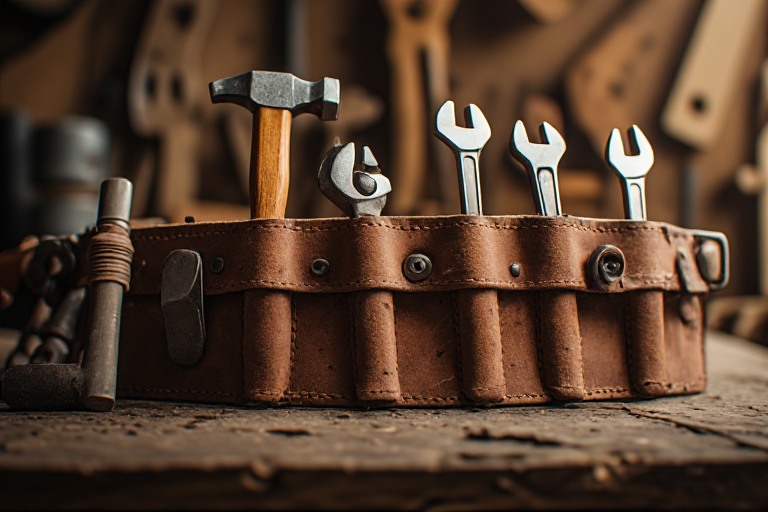
In traditional craft, there is a framework called ‘One tool per job’. A good carpenter won’t own a dozen slightly different hammers. Instead they will have one excellent hammer and they will know exactly what it’s for.
This rule can be applied to your digital life too. In layman’s terms it means resisting the urge to have overlapping devices. A tablet and a laptop that both “kind of” do the same things isn’t just redundant. It multiplies the amount of overhead.
Instead of one device, you now have two that you need to update, two that require remembering the battery status, two different sets of apps to keep organized, and additional mental overhead of having to decide which one to reach for.
That doesn’t mean that one device per job means one device total. The question remains whether each device has a clear, non-duplicated role in your life. If the answer is yes, then it earns its place.
Now I want to add a little more context to my personal situation here because you probably are reading through this and thinking “This guy owns a ton of technology including both an iPad and a MacBook, should I really be listening to him?”
In short, yes. I absolutely follow the one device per job rule even with all the various technology I have around. I’ll break down my setup for you:
First, my iPhone. This is my central hub for running my life. This functions as my To Do list, my primary communication device, my calendar, my navigation device, my podcast manager, and my camera.
Second, my iPad. It’s got a keyboard on it which makes it even more like a laptop. Primarily I use this for consuming media. This means watching things while I work out and reading books, which is especially useful when studying for exams.
However, because it’s got a keyboard and stylus, it’s also amazing for photo editing since I do hobby photography, web browsing, and light work. In fact, I do a lot of my writing for this site on my iPad.
Third, my MacBook. This is where I do all my heavy lifting work that I can’t do on my iPad. The file manager is superior to the iPad, the MacBook has better window management, and the MacBook runs a ton of apps that I use either for personal use or for studying that just don’t run on the iPad.
Now I do have other devices as well, but these are the three I wanted to call out because they have the most overlap with each other. You’ll note that even with ‘One device per job’ as the rule, this doesn’t mean that I use them for one thing and one thing only.
What it does mean is that they have primary, very specific purposes which means that there is never any friction when I think about which device I need to reach for to achieve any given task. This is primarily what I mean when I say one device per job.
Smartphones: The Device That Deserves the Most Scrutiny

If you are like me, you probably have a love hate relationship with your smartphone. My iPhone demands a lot of my attention. Notice I said demands, because that is exactly what smartphones are designed to do: demand your attention. This also means that your phone is the item that deserves the most scrutiny.
Now don’t get me wrong, our phones are genuinely useful tools. As I mentioned earlier, mine is the central hub that runs my life. Your phone can be used for everything from a camera, to a map, to a boarding pass, to a music library, to a flashlight and that is only scratching the surface.
To that end, the problem really isn’t the device itself. As I mentioned earlier, these devices are designed by companies to demand your attention. Their revenue depends on your engagement, which means ensuring that you are attached to your phone as much as possible.
The digital minimalist relationship with a smartphone is going to look different for everyone, but there are some common threads that run through all of them.
Deliberate App Selection
We all have a bunch of apps on our phone and all of them were installed for a reason. Whether that was a good reason or not is up for debate. That reason may have been boredom, social pressure, or even just a momentary impulse. On the other side of that, it could have been an actual need.
Whatever their reason for installing any given app on your phone, a periodic app cleanup is one of the highest value things you can do for taking back your attention from your phone. This is especially true for free apps, since it’s worth understanding the hidden cost of free apps quietly sitting on your phone doing nothing useful. This means doing an actual values-based review and not just a storage cleanup, similar to the kind of smartphone declutter I walk through in detail elsewhere on this site.
Notification Triage
It’s a very deliberate choice by smartphone manufacturers that every app gets to interrupt you whenever it wants. This is the default state of your phone.
This is also something that can be reversed. Most people who do a full notification audit find that they can disable a majority of their alerts without having any meaningful consequences. When I went through mine, I disabled roughly 98% of the notifications on my phone, only leaving a few important things like my reminders and my calendar events. If anything, there’s a real joy of missing out once the constant pinging stops.
Intentional Home Screen Design
A very intentionally designed home screen is a statement about what you have decided deserves immediate attention. This is prime real-estate on your phone and you should treat it as such. If you want a step-by-step walkthrough, I cover exactly how to build a minimalist home screen elsewhere on this site.
Laptops and Computers: Performance vs Sufficiency
For as long as I can remember, there has always been a very persistent cultural message in tech that more power is better. Every year there is a faster processor, more RAM, a bigger SSD. This upgrade cycle is very aggressive and the marketing around it is even more aggressive. Corporations want you to believe that if you are not using the latest and greatest hardware, you are somehow falling behind.
Let’s be real, for most of the things that people are doing, they don’t need the latest and greatest machine. I look at family and my neighbors and what they are doing with their machines as the baseline for what most people are using their computers for and it usually boils down to the following things: web browsing, email, paying bills, and maybe some writing.
I have an 11-year-old laptop that accomplishes every single one of those things with ease. Now I’ll be honest, my 11-year-old laptop is a bit of an outlier because I’m technical enough to install Linux on it, but we can then look at my wife’s laptop which is absolutely not an outlier.
It’s 6 years old, it’s completely up to date and running macOS. It does absolutely everything I listed above and a bunch more. You can probably see where I’m going with this.
For most people, a mid-range machine that is three to four years old is going to be sufficient for anything they need to do. The performance ceiling that most people hit isn’t going to be the specs on their machine, it’s going to be their own focus and clarity.
Device minimalism reframes the question you ask about a computer purchase. It isn’t going to be Is this the best available? The question is Does this do what I need, reliably, without friction? Those are very different questions with very different answers.
Repairability Matters
One thing to keep in mind when choosing a laptop or a desktop is whether or not the hardware can be repaired or upgraded rather than just discarded. Unfortunately, a lot of laptops score poorly on independent repairability scores iFixit publishes for popular models.
So with that in mind, choosing a laptop with a replaceable SSD and user-serviceable RAM is a more minimalist choice in the long run than a sleek sealed unit. However, this is just one factor in the grand scheme of things when making choices about what hardware to choose. You aren’t choosing poorly if you get a device with poor repairability scores because everything else works better for you.
Smart Homes and You
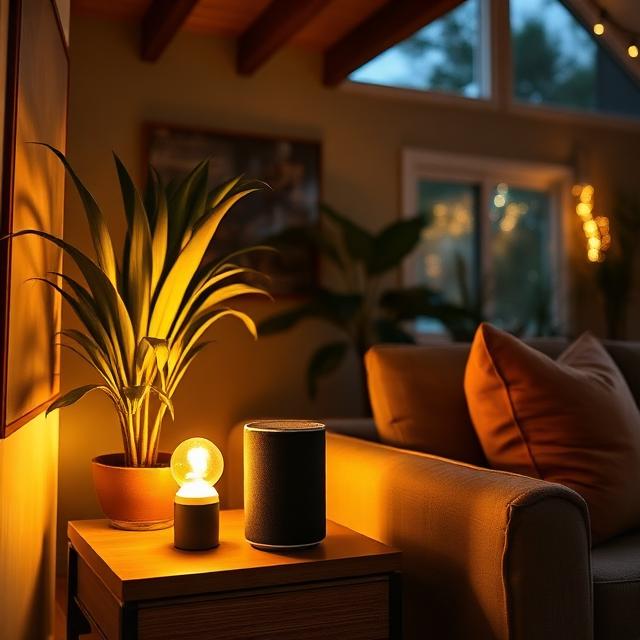
Smart home technology was all the rage a few years ago because of the promise of convenience. Lights that respond to your voice, thermostats that learn your schedule, locks that you can control remotely. A lot of promises were made with smart home technology. Some were delivered on, others fell dramatically short. The difference between promises made and promises kept is very much worth understanding and spending the time to figure out before you invest in it.
Personally, I went all in on smart home technology. We had smart bulbs in every room, smart light switches, smart cameras, smart thermostats, fans that connected to our network, smart locks, we even had a coffee maker that connected to our network.
You notice the key word here is had. The promise of ease and convenience for a lot of this did not live up to the hype. The smart bulbs would stay connected maybe 10% of the time, the smart light switches were great when they worked. The thermostat seemed to sign out of the app about once a week making it never available when I actually needed it.
The end result is that I’ve backtracked and moved back to analog equipment rather than smart home devices for most things. The overall benefits of smart home technology I found to not be worth the costs. This isn’t just monetary costs, there are several hidden costs as well.
First, they add network complexity. My standard home router couldn’t support these devices in a consistent manner, so I had to upgrade to a more expensive and far more complex setup to get the stability I needed to run these devices with any consistency.
Second, they add potential vulnerabilities and failures onto your network. Smart home devices are well known for not using secure protocols to transfer data around due to resource constraints on the devices. So each one that you have on your network is a potential source of someone being able to compromise your home network.
On a similar note, many of these devices don’t offer any kind of a physical backup in the event of failure, so you end up with a critical part of your home infrastructure that just doesn’t work. Trust me, having a light that either can’t be turned on or off is infuriating. The failure is most likely to happen at the worst possible time, such as when you are about to go to bed or about to leave for vacation.
Third, many of these devices depend on cloud services. These cloud services often belong to companies that tend to go out of business or that just get discontinued, changed, or compromised. This leaves you with a non-supported, hopefully still working device.
Fourth and finally, these devices all require attention all the time. This comes in the form of firmware updates, app updates, and pairing them to your phone and network again more frequently than most people find worth dealing with.
So can you practice device minimalism and still have smart home technology? Absolutely! It’s not off limits. There is no digital minimalist police that is going to tell you that you are doing digital minimalism wrong if you have smart home devices.
However, it does mean that the bar for adding a smart home device to your network should be higher than “This is pretty cool.” You can use a very simple filter to help you decide: Does this device genuinely save me time or reduce friction in a way that outweighs its setup and maintenance cost?
If the answer is yes, then it may have a spot in your home. If the answer is it’s convenient but I can easily live without it, then it probably doesn’t belong.
As I mentioned earlier, after moving to smart home technology, I’ve moved a lot of stuff back to analog devices. That doesn’t mean that I moved everything back. There are a few devices that I absolutely love.
First, my smart lock. I never carry house keys anymore and the ability to check the status of whether I locked my door from anywhere in the world was life changing for my mental health where I constantly fret over whether or not I locked the door. Also the ability to set codes that go off and on at certain times has been great for childcare and visiting friends and family.
Second, my smart speakers. They were my first foray into smart devices and have been by far my most solid. I’ve actually continually expanded the setup because they work so flawlessly and they make so much of life at home so much better.
Finally, I love my smart garage door opener. For much the same reason I love my smart lock, I have been on my way to work and running late and completely forgot to close my garage door. With a press of a button even though I was 25 miles away, I was able to close my garage door or just get a status on whether it was open or closed.
All of these add a level of convenience that is well worth having them in the house.
Local First Smart Home Setups
A big issue I have with smart home setups is that a lot of them route data through external servers, which means that if those external servers go offline or your internet goes out, they stop working.
When you are deciding whether or not to include a smart home device into your network, it’s worth seeing if there is an option to have it just route the data over your local network rather than through anything externally. This can make a huge difference for digital minimalists who want fewer dependencies and better privacy.
Home Media: Simplifying How You Watch and Listen
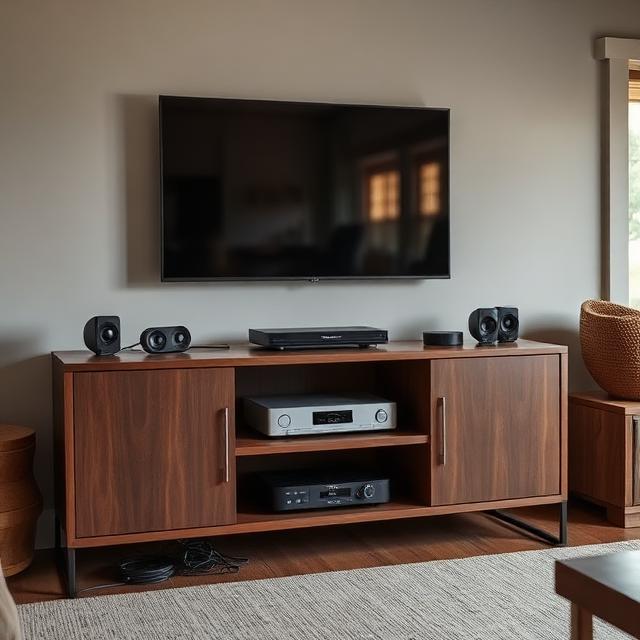
Home media setups tend to accumulate. I know mine did. I started with a gaming system, a couple of blu-ray players, a couple of TVs, and a 3 disc CD changer and radio. Yes, CD changers were a thing at one point!
Over time this expanded to multiple TVs, multiple speakers to move my iPod around to, multiple gaming systems, and a collection of remotes that left me wondering what everything did! People would come into my house to try and watch TV and just give up because it was too complex.
Device minimalism doesn’t mean the setup has to be sparse. Mine certainly isn’t. However, it should be consistent. Everything should serve a clear purpose and the experience should be simple.
For us this means that we have 3 TVs in the house. They aren’t all the same brand, but they all use the same type of setup box, which are all configured the exact same way. In fact, I have mine setup so that if you update the home screen on one box, all 3 of them update the exact same way.
This means that no matter which TV you go to, you are going to see the same streaming services, you’re going to use the same remote, and everything will work exactly the same. As an added touch, I also very neatly ran the cables for each one of them to make it look visually nice.
Media libraries are their own rabbit hole that you can get into and I’ll touch on it briefly. I used to have 3 massive shelves of movies, TV shows, and music. I love physical media because you actually own it, but it’s cumbersome.
For those of you who want more control over your media library, there are self-hosted options like Plex or Jellyfin that you can run on a NAS to consolidate a sprawling collection into a single, clean interface.
I personally love my Plex server. It’s not without issues and the setup investment was intense to say the least. Not just monetarily, but also in terms of the time it took to convert my physical media to digital and the learning curve to figure out how to get everything working on my NAS. It’s definitely not for everyone.
However, the long term result is a media library that you own, that is organized the way you want, accessible from any device, and incredibly convenient. This aligns very well with the digital minimalist values of intentionality and ownership over rental.
Wearables and Accessories: The Periphery of Your Digital Life

Smartwatches, fitness trackers, wireless earbuds, e-readers, handheld game consoles, and so many more. The category of wearable and accessory devices has exploded in the past decade.
So many of these devices fly under the audit radar because they feel smaller and less significant than phones or computers, but they do still carry their own overhead. You still have to charge them, deal with apps, and deal with syncing issues among other things.
When dealing with accessories, the device minimalism question to ask is: Does this device serve a purpose that actually requires a dedicated device or am I carrying it out of habit or social expectation?
I’m going to touch on two major categories that require some additional thought: e-readers and the smartwatch and fitness tracker category.
E-Readers
In the world of digital minimalism, e-readers are a device that a lot of digital minimalists absolutely love. Devices like the Kindle Paperwhite or Kobo are purpose built for digital reading, they have amazing battery life, and they don’t compete with other apps for your attention.
For avid readers, an e-reader is often a net positive for digital minimalism. Especially if you don’t have a lot of physical space. It removes books from a multi-purpose device that is constantly competing for your attention such as your phone or tablet, and gives reading its own dedicated, distraction free space.
Fitness Trackers and Smartwatches
Fitness trackers and smartwatches are far more complicated when it comes to digital minimalism. It really all depends on how you use them. For some people, the health data they provide is genuinely actionable and valuable. I fall into that camp. Since I started using my Apple Watch for fitness purposes, I’ve lost weight, I’ve gotten back in shape, and my blood pressure has fallen to normal levels.
However, for a lot of people it’s just another stream of notifications and numbers to monitor. For many it causes more anxiety than insight. So knowing which camp you fall in is worth some honest reflection before you decide to buy or keep one of these devices.
Buying, Keeping, and Letting Go: A Decision Framework
One of the most practical skills in device minimalism is developing a consistent framework for the three recurring decisions: whether to buy a new device, whether to keep a device you already own, and when to let one go.
Before Buying
Before you acquire any new device, I recommend sitting with the following questions for at least 48 hours:
- What specific problem am I solving, and have I tried solving it without a new device?
- Does something I already own do this, even if it’s less convenient?
- What is the realistic ongoing cost in terms of time, attention, and money to maintain this?
- Am I buying this for a sustained need, or for a moment of enthusiasm?
The reason I recommend waiting 48 hours is because this is an excellent way to eliminate a significant percentage of impulse buys.
Before Keeping
Whether you call it a digital declutter or just a device minimalism gut-check, when you are doing an audit of your existing devices, the important question isn’t the one you’d think it is. The question is not: Do I use this? The reason for that is you can justify pretty much anything on that basis.
Instead the question is, Does this device earn its place in my life relative to its ongoing maintenance?
Before Letting Go
When a device has genuinely served its purpose, the minimalist move is to let it go thoughtfully, the same way I approach any digital reset. Make sure you wipe it completely, sell it if it has value, donate it if it doesn’t, and recycle it through a certified e-waste program if neither option applies. A device sitting in a drawer still causes mental overhead, even if you don’t realize it.
Privacy, Security, and the Minimalist Advantage
As someone with a background in IT and specifically in cybersecurity, privacy and security are near and dear to my heart. The connection between device minimalism and digital privacy doesn’t get discussed near enough. When you have fewer devices, you have a smaller attack surface.
You’ll note I touched on this when I was discussing smart home devices. While going into the entire process of securing your home network is far beyond the scope of anything I want to discuss in this post, it boils down to this: each device you own is a potential point of exposure.
This is exposure to data collection, to security vulnerabilities, to privacy policies of the companies whose apps run on it. By definition, a household that has thoughtfully reduced its device count to only what it genuinely uses is going to share less data with fewer companies.
Now what this doesn’t mean is that digital minimalism is a security strategy on its own. Security through obscurity is a terrible digital security policy. However, it does mean that when you audit your devices for device minimalism reasons, you are also doing digital privacy hygiene work. Clearing out apps you don’t use, getting rid of devices you replaced, and simplifying your digital footprint are all steps in the same direction.
The Environmental Dimension
Electronic waste is one of the fastest growing waste streams in the world. Most consumer electronics have significant carbon footprints embedded in their manufacture process. In fact, it’s typically far larger than their operational energy use. What this means is that a device that is used for five years instead of two can often be a far more environmentally sustainable choice than it seems at the onset.
This also aligns naturally with the digital minimalist philosophy of buying less, buying intentionally, and keeping things longer. Device longevity isn’t just good for your wallet and focus, it’s also good for the planet. Also, when it’s time to get rid of a device, doing so responsibly through certified e-waste recyclers can prevent toxic materials from ending up in landfills.
Where to Go From Here
I put this page together as a foundation. Throughout this site, I go further in depth on specific aspects of the devices conversation. Whether you are trying to simplify your smartphone, make a decision about a home server, or figure out how many streaming subscriptions your household really needs, I cover it.
The through-line across all of this is device minimalism: technology should serve your life, not consume it. Your devices should work for you and not the other way around. If this isn’t the case in your life, then it’s worth changing.