
Phones. Everybody has them and it seems like everyone is always on them. We carry them with us everywhere like a safety blanket.
They wake us up on the morning, the entertain us throughout the day, and then accompany us through dinner and into bed. It’s like a scene from WALL-E.
But how often do we stop and ask ourselves: Is my phone serving me or am I serving it?
Do you find yourself mindlessly scrolling through endless pages of videos, reels, and posts? Getting overwhelmed by continuous notifications? Struggling to find that one app that you know you have on your phone somewhere but you can’t quite remember the name of it and it’s buried under mountains of digital clutter?
If so, then it’s time for a Digital Declutter of your phone. Decluttering your phone is one of the most impactful steps towards digital minimalism as it helps to simplify your life and help you gain mental clarity.
Step 1: Start With A Mental Reset

Before you delete anything, you need to ensure that you are clear on your purpose. The two most important questions to ask yourself are:
- What do I actually need my phone for?
- What apps genuinely add value to my life?
Setting intention helps you declutter with clarity rather than impulse, which in turn will help you from adding apps back onto your phone later on.
Step 2: Delete Ruthlessly
As you are going through your phone, be really honest with yourself. How many of your apps are actually useful?
As you go through each app, ask yourself Do I use this weekly? Does it serve a purpose?
Both of these are valuable questions to ask because if you are anything like me, I have apps that I don’t use weekly but they do serve a purpose.
For example, I have apps that block ads, apps that are used for controlling various things in our house, for example our lights and our sprinkler system.
As you’re going through the apps, delete games you don’t play, shopping apps, old photo editors, and social media platforms. Trust me, you won’t miss them.
Step 3: Disable Non-Essential Notifications
Notifications on your phone are a huge distraction. Remember, your attention is sacred, there is no reason to let random apps hijack your attention all the time.
Turn off all non-critical alerts. You don’t need a notification that a “Sale ends tonight!” Or that “your friend liked your post”. These are just distractions that eat your attention.
Keep only the essential ones. Generally this list will be similar to the following:
- Calls
- Text Messages
- Calendar Reminders
Step 4: Create a Minimalist Home Screen
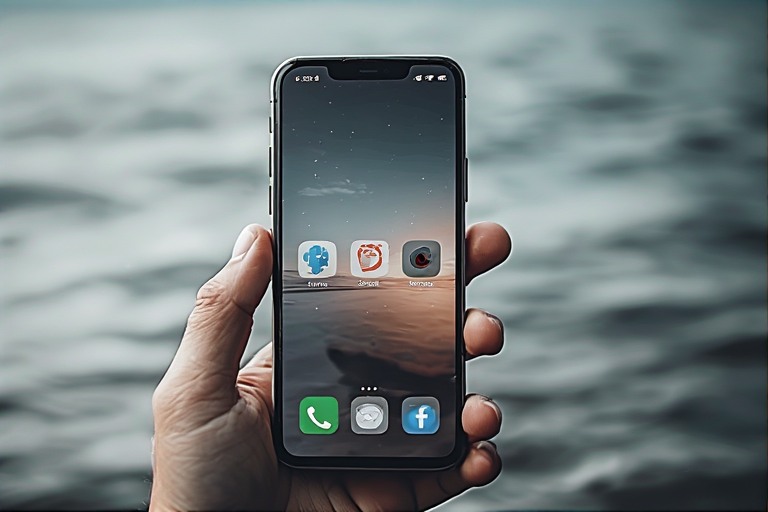
It’s important to design your Home Screen with intention. I recommend keeping only 4-8 apps visible and hiding everything else in folders on a second screen.
Alternatively instead of folders, you can hide everything else in the App Library in iOS or the App Drawer on Android.
By reducing the amount of apps on your Home Screen, it reduces decision fatigue and curbs mindless tapping.
Step 5: Embrace Grayscale Mode
Colorful apps are designed to attract your attention. Enter Greyscale Mode. Greyscale mode removes the color and the appeal, which in turn makes your phone way less addictive.
Not sure? Try it for a few days, you’ll be amazed at how much less tempting social media becomes.
Step 6: Audit Your Digital Habits
Most phones have built in tools to monitor your usage. On iOS you can use the built in Screen Time tool. On Android, use Digital Wellbeing.
You can set limits on apps that tend to suck up most of your time and then you can track how your habits evolve after decluttering them.
Step 7: Make it a Ritual
You’d be amazed at how much digital clutter creeps back. A month ago I cleaned out 478 tabs from Safari on my phone. A month later I’m back at 53.
Schedule a monthly “Phone Cleanse” to review and reorganize.
It’s important to make it part of your digital minimalism routine. It’s like tidying your home, but for your digital life.

Final Thoughts
Your phone should be a tool, not a trap. By decluttering it, you are not only making space on your device, but in your mind.
Digital Minimalism and really minimalism in general isn’t about having less. It’s about making room for what matters most. And sometimes that starts with just one swipe.