

Last Updated: June 8, 2026
A digital reset is very similar to physically decluttering your life. For those who know me, they will tell you that decluttering is one of my favorite things to do. There is something cathartic about getting rid of things and freeing up that space in your world both physically and mentally. The satisfaction of clearing out what does not belong is the same whether you are hauling out bags to Goodwill or deleting apps that you forgot you had.
There is one major difference between a performing a digital reset and physically decluttering. When you declutter a physical space, you are just getting rid of stuff. With a digital reset, it’s not about just getting rid of things. Sure, you’re going to do a digital declutter and get rid of old files and photos. That’s a given. The big difference is that with the digital reset, you are redefining your relationship with technology.
The goal isn’t just a cleaner phone or a tidier desktop. The goal in the grander scheme of the digital minimalism philosophy is a completely different way of living with your devices. This is a important distinction. This is what makes the process stick long-term rather than just being something you do once and forget about.
I have broken the digital reset process down into 8 steps. These are the exact steps I have personally gone through. If you are not sure whether you even need one yet, I recommend reading my post on too much technology first. If you have already crossed that line, this is where you start.
Step 1: Define Your Why

I know this sounds dumb but hear me out.
Before you touch a single file or app, get really clear on why you are doing this digital reset in the first place. Without a clear reason, what inevitably ends up happening is that you tidy things up a bit, you feel good for a few weeks, then you slide right back into he same habits. This is a voice of experience here as I did this myself a few times before finally figuring out the process.
Your why is your anchor. Ask yourself honestly: What is driving this? Is it because you want fewer distractions so you can actually focus at work? Are you trying to get more mental space and less background noise in your head? Maybe you want your devices to run faster and feel less overwhelming. Or is it something as simple as constantly running out of storage on your devices?
All of these are legitimate reasons. None of them are any less valid than the others. The point is to know your reason clearly enough that you can come back to it when the process starts to get tedious. Trust me, that will happen and you will be very tempted to give up. This will help you get through that.
Write it down. A single sentence is enough. Then put it somewhere you will actually see it. Just putting it on paper changes how you approach the entire process and changes it from a digital detox to a digital reset. Let that paper anchor your digital reset.
Step 2: Choose a Focus Area
You would be amazed at all the random places that digital clutter hides. It lives on your phone, your laptop, your social media, your email inbox, your cloud storage, it’s even in your daily habits and routines. Trying to tackle all of this at once is an almost certain way to burn out and quit before you ever make any real progress.
To avoid getting burned out, it’s essential that you start small. Choose one area per week to focus on such as:
- Your phone’s home screen
- Your email inbox
- Your photos and camera roll
- Your desktop and downloads folder
- Your notifications
- Your subscriptions and recurring charges
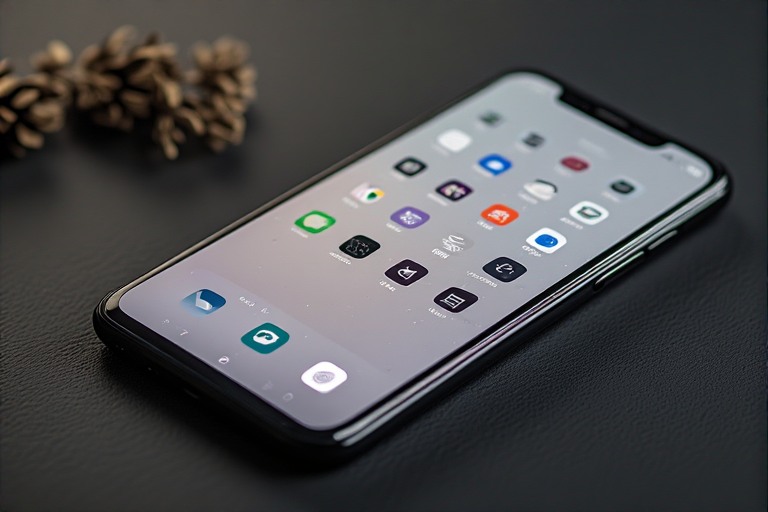
You might be able to tackle multiple focus areas in a single week or even a night depending on what it is. Other items might take you weeks or months. I remember when I did my photos it took me almost 16 months to fully declutter them. Granted I was dealing with duplicates of various quality from 17 different hard drives of digital photos I had taken between 2002 and 2023 so mine was closer to a worst-case scenario. Meanwhile, doing a declutter on my phone only took me about an hour.
To that end, don’t measure your progress against someone else’s. Don’t let yourself get overwhelmed. Pick one thing and finish it. Notice how good it feels. Then pick the next thing. Small wins build the momentum required to actually carry you through a complete digital reset.
Step 3: Clear the Obvious First
This is where the real work begins. Start with the low-hanging fruit. Delete anything that is obviously unnecessary without overthinking it.
Here is where you actually start the decluttering. Go through and clear out the ‘low-hanging fruit’. Delete what you don’t need without overthinking it.
- •Uninstall apps you have not opened in the last 30 days
- •Delete duplicate photos, blurry screenshots, and anything you took but will never look at again. While you are in there, it is worth understanding the hidden cost of free apps that are quietly sitting on your phone doing nothing useful.
- •Empty your downloads folder
- •Archive or trash old emails, especially advertisements and newsletters you never open
Research has found that digital clutter affects mental clarity in much the same way physical clutter does. Even if you aren’t thinking consciously about the mess, it still weighs on you. It still takes up mental energy. Clearing even a single corner of your digital life can provide you with an immediate sense of relief that is difficult to describe until you have actually felt it.
It’s very important that you do not overthink this step. If you aren’t sure why you still have something, then delete it. Most things you can get back if you were wrong.
Step 4: Create Clear Digital Homes
Every file, photo, and note should have a clear place to live. There are million different ways to organize your files and photos and every single person is going to tell you their way is the correct. I can go on a whole tirade about digital file structures because I’ve seen some pretty bad ones. Back in my help desk days, I saw some organizational structures that would give you nightmares. I’ve even had some pretty bad ones myself at various points in time.
There is one very important rule: keep it simple. The more elaborate your folder structure, the less likely you are to actually use it. Depth kills organizational systems. Try to limit your folder structure to no more than three levels deep. If you have to go more than that, you will quickly stop saving things in the correct spot. The goal is to create a folder structure that you will actually use, not one that looks impressive.
Here is a structure that works well and is easy to maintain:
- •Documents > Work / Personal / Financial / Medical
- •Photos > Year > Month > Event
- •Notes > Ideas / Projects / Reference
Now one thing you may note is that with Photos, I broke my own rule about three folders deep. The reasons for this is a lot of tools that allow you to organize your media have specific folder structures that they require. Also, once you get a lot of media, it can just start to be difficult to maintain at a three directory level. The point being that three levels isn’t a hard and fast rule. Use your best judgement to do what works best for you.
Whatever structure you end up designing, make sure it also applies to your cloud storage. If you use iCloud, Google Drive, or OneDrive, your folder structure should mirror your local one. Having two different organizational systems for the same types of files creates confusion and eventual chaos.
Once you have that structure in place, commit to it for at least 30 days before deciding whether to change anything. Many people abandon good systems too early because they feel

Step 5: Unsubscribe and Unfollow Ruthlessly
Your attention is your most valuable asset. Protecting it is a core part of any real digital reset.
This is where things get uncomfortable for most people. Social platforms are built by teams of engineers and behavioral psychologists whose entire job is to make unfollowing feel like a social risk. Every account you follow and every newsletter you subscribe to was designed to make you feel like you would miss something important if you left.
That is not an accident, it is the business model. The Center for Humane Technology has done a lot of important work documenting exactly how this operates.
Your attention is your most valuable asset and it controls your focus. Audit who and what has access to your attention:
- •Unsubscribe from newsletters you never read.
- •Unfollow social accounts that consistently make you feel worse, distracted, or like your own life is somehow lacking.
- •Mute group chats that constantly notify you without adding any value to your day.
Every time you unsubscribe or mute something, you recover a little bit of mental bandwidth. While it may not seem like much at the time, individually they add up to make a real difference in how much noise you are carrying around.
Step 6: Tame Your Notifications
Notifications are the digital equivalent of someone constantly tapping on your shoulder while you are trying to work. You wouldn’t tolerate this in the office or really anywhere else in your life, so why should you tolerate this from your phone?
The goal of this step in the digital reset is to get to a place where your phone does not notify you unless something genuinely requires your attention. For most people, that’s a very short list. Notifications are the bane of my existence, so it’s something you’ll see me say again and again: Only allow essential notifications.
Personally, my phone is setup to allow phone calls during certain times of the day, text messages from specific individuals and a few very important group chats, calendar reminders, and time sensitive reminders from my To Do list app.
Everything else is just noise. Setting my phone up in this manner ensures that everything I see is on my own terms, my own schedule. There is no reason for a shopping apps or a game to notify me. If I want to check them, then I’ll open them. They should not prompt me to open them.
This step will make a huge difference in your digital reset.
Step 7: Set Boundaries for Future Clutter
This is where most people fail. They treat a digital reset as a one time thing. Then they feel great for a few weeks and let everything slowly drift back to where it was before. A real digital reset is not a project you complete. It’s a lifestyle shift.
Here is how I keep things from sliding back:
Schedule a regular cleanup.
This cleanup should take place weekly or at least every few weeks to ensure things stay neat and organized. At work I have 20 minutes blocked out every Friday to make sure everything is neat and organized going into the weekend. This ensures that when Monday arrives, I’m starting fresh.
I apply this same principle to my personal life, though with less frequency. A 10 minute pass every couple of weeks makes a noticeable difference.
Keep a minimalist app layout.
A cluttered home screen on my phone will quickly overwhelm me. I have my home screen setup to only contain the apps I actually use every day. Keep your most used apps on your home screen, throw everything else into organized folders on a second screen.
If you need more than two screens to house al of your apps, not including your home screen and a folder screen, then you probably have too many apps.
Keep in mind while you are deciding to remove apps not to remove built-in utilities and other apps critical for your phone to run. Just hide them in a folder if you don’t want to see them.
Use folders and widgets intentionally.
Folders are great but they can get out of hand. Keep them simple and with titles that make sense. Widgets are tools, not toys. Make sure any widgets you use have a clear function to make your life easier and not just be pretty.
Review subscriptions and storage once a month.
Set a recurring reminder. This takes about five minutes and will consistently save you money while reminding you to let go of services you stopped using. I do this on the first Monday of every month. It has become as automatic as paying bills.
These are the kinds of habits that turn a one-time cleanup into a sustained practice. If you want to go deeper on the mindset behind why these boundaries matter, my post on intentional technology use covers that territory in more detail.
Step 8: Celebrate The Space You’ve Created

Take a moment to pause and notice the difference. Your devices are faster, your notifications are quieter, your file system make sense, and your your phone is no longer a source of stress every time you pick it up. You have done more than just lean up your tech. You made room for focus, creativity, and peace in your life.
The digital reset you just completed is not the end of anything. It’s the starting point for a more intentional relationship with technology you have chosen to keep in your life. There will always be clutter trying to creep back in. That’s just a fact of life. But now you have a system, a set of habits, and a clear reason for keeping it at bay.
If you want to go even deeper on auditing your digital life beyond what this digital reset covers, check out my post on doing a full digital declutter. Think of this reset as your foundation and the audit as the deeper work you build on top of it.
Go enjoy the quiet. You earned it.