


Technology is a trap! Don’t get me wrong, I love technology and I’ve made a career out of it. But I see it for what it really is. Technology is a trap that is designed to pull us in. With every ping we get, every swipe me make, and every notification carefully engineered to keep our attention just a tiny bit longer. Keeping us trapped in an endless loop.
While these can be useful, this design can very easily turn into a digital dependency that leave us feeling drained and distracted. Your mission: instead of letting the device control you, to reshape them into tools that serve your priorities.
6 Ways To Make Your Tech Less Addictive
Ahead I want to delve into some simple ways to make your tech less addictive:
1: Turn Off Non-Essential Notifications
Realistically most of your alerts aren’t urgent. Your brain has just been trained to think they are. Silence pings from anything that is non-essential. Turn off app badges. Keep only critical notifications from family, work, or your calendar. If you’re interested in learning more about this, I wrote an entire article on turning off notifications.
2: Remove Endless Feeds
Apps with infinite scroll thrive on your time. I’m looking at you TikTok, Instagram, and Facebook. Replace them with finite alternatives such as RSS Readers, Newsletters, or apps that give you content in digestible chunks without trapping you in the endless feeds.

3: Use Greyscale Mode
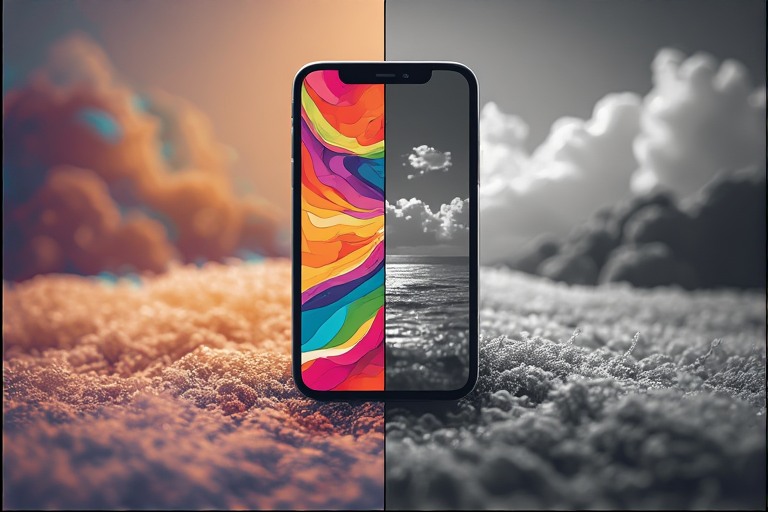
Bright icons and colors are designed to hook you in and keep you on your phone. Switching your phone to grayscale mode can reduce the visual stimulation and make opening apps less tempting. There are even handy shortcuts you can use to switch back and forth between color and greyscale depending on what you want to use your phone for.
4: Redesign Your Home Screen
Keep only the most essential and functional apps on your home screen. Move entertainment and social media apps into folders or even remove them altogether. This extra friction reduces impulsive checking. If you want to know more about how to redesign your home screen, I wrote an article about it.
5: Create Tech-Free Zones And Times

Create zones of your home where it is tech free. This might be as large as a bedroom, as small as the dinner table, or just certain times of the day like the first hour of your morning. Giving your brain time away from screens is very important. The absence of of constant digital noise can be surprisingly liberating.
6: Replace Habit Loops With Intentional Use
Instead of just reaching for your phone, every time you pick it up set a purpose. Maybe it’s “I’m checking the weather” or “I’m sending a message.”. Limit the time you use the phone to that purpose and then set the phone down again. This is a small act of mindfulness, but it completely rewires your relationship with technology.
If you want to escape the technology trap and make your technology less addictive, then you need to reshape it so that it supports your life instead of stealing it. When you break the addictive design patterns, you reclaim your focus, calm, and presence.