
Last Updated: June 13, 2026
If you want to break your phone addiction, start with building a minimalist home screen. Your home screen is the first thing that you seen when you unlock your phone and for many of us, it’s the first step down the rabbit hole of distractions that keeps us sucked into our phones for sometimes hours at a time.
Sure, the lock screen might get a lot of attention because you see it all the time, but a minimalist home screen is where digital habits are really made or broken.
With the right setup, you can transform your phone from an engine for distraction into a clean, intentional space that supports your priorities. Today I want to show you exactly how to build a minimalist home screen that works for you.
One of the core principles of digital minimalism is that your phone should work for you, not for the apps, not for the platforms, and certainly not for the companies competing for your attention.
Now before we get started, I’m going to be up front with you. This might be the first time you design a minimalist home screen for yourself, but it certainly won’t be the last. Your home screen is going to change with the time of the year, the events in your life, and what is important to you at any given time.
When I was working through college, my home screen had apps for books, calendars, and message boards for all the various apps required for my classes. Then when I needed to have my personal phone share the role as my work phone (I don’t recommend this by the way), my phone was loaded with workflow tools and ways to access various systems on the go.
When my kids were born, calendars, timers, and reminders became the key apps on my phone and made their way to the home screen. Now I’m in a completely different stage of my life and my home screen looks completely different from any of those scenarios.
I’ve rebuilt my home screen more times than I can count. I’ve had cluttered ones and minimalist ones. The ones where I’ve been intentional about building a minimalist home screen have always felt like they made the biggest difference in my life. Those were the times that I found myself no longer picking my phone up out habit. A minimalist home screen broke my habit of doomscrolling by making those apps less accessible. It made it so reaching for my phone came with a purpose. It’s a small shift, but it compounds over time.
Here are the six steps to build a minimalist home screen.
Step 1: Start With A Clean Slate
Remove everything from your home screen. I mean absolutely everything. You want to go into this with no preconceived ideas about what should be on there. You want to be staring at the digital equivalent of a blank canvas.
The easiest way to do this is to place all your apps into the app library or to push them onto secondary pages. The goal when designing a minimalist home screen is to start from zero and rebuild with intention. I can tell you from personal experience, any time you try to just tidy up what’s already there, you’ve already set yourself up for failure.
This step tends to feel pretty uncomfortable for most people and you’ll probably feel some resistance. “What if I need this app quickly?” Is going to be the most common resistance you’re going to feel. However, that is the exact mindset that got a cluttered Home screen in the first place. After 48 hours with your new minimalist home screen, you’ll realize you didn’t need most of those apps as urgently as you once thought.
Step 2: Identify Your Core Functions
This step requires some soul searching. This is where you ask yourself: What do I actually use my phone for that every day that actually improves my life?
Don’t confuse this with apps that you are addicted to or apps that you are just in the habit of opening. Neither of those are things you want to consider as part of your core functions. You want only things that genuinely serve you.
Now that doesn’t mean that your core functions have to be a collection of the worlds most utilitarian and boring apps. For me, I’ve got things like Maps, Calendar, the app for my kid’s daycare, and Spotify. These are things I open all the time and use on a daily basis.
However for you it might be completely different set of apps. Perhaps it’s your messaging app, a meditation app, or even a banking app. Whatever it is, choose no more than 4-8 apps that genuinely serve your goals and earn their spot on your home screen. Why 4-8? Because you are going to have your Core Four apps plus up to 4 more that you use frequently and with intention. The key word here is intention.
The Core Four
For those of you with iPhones, there is a feature called the dock. These are up to 4 apps that are on the very bottom row of your phone and they stay there consistently across every page of apps that you have, including your home screen.
I consider these the Core Four apps. When you are designing your minimalist home screen, you want to put the apps that are your absolute core functions down here in this dock screen because these are going to be available on every screen. Personally I keep the core functions of my phone here, which include the actual Phone App itself, my Web Browser, Messages, and Overcast (Podcasts). All things I tend to need to access at a moments notice.
Step 3: Hide The Temptations
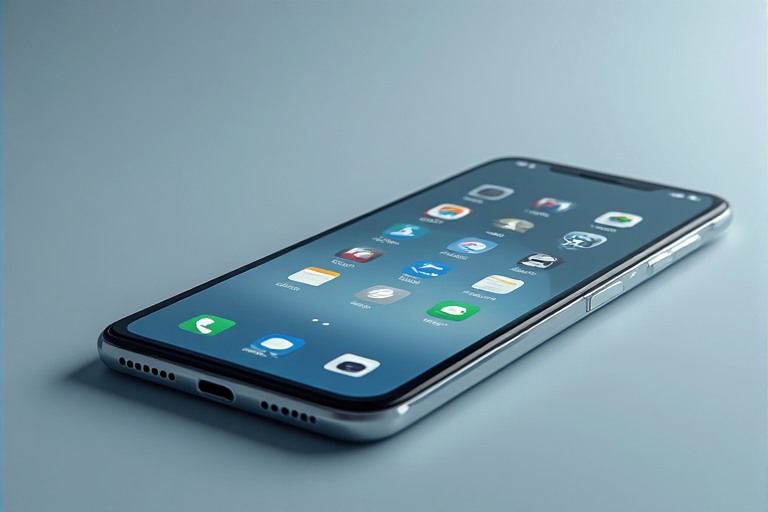
In this step of your minimalist home screen design, it’s time to get those apps that are the most addictive out of sight, out of mind. This is going to largely include social media, games, and shopping.
These apps are all designed to keep you on your phone for as long as possible. This also means that they have no spot on your minimalist home screen. If possible, completely delete them from your phone!
Now I recognize that completely deleting them might sound a bit extreme. So if that is the case for you, don’t worry. I found while not quite as effective, burying those apps so that it takes several swipes and intention to get to them does a decent job.
Remember, out of sight out of mind doesn’t mean that it’s gone forever. The goal is to create friction so that you can interrupt that unconscious habit of opening an app like Instagram before you ever get out of bed.
That tiny pause adds just enough friction that often times, that is all the is required to break the loop. The app clutter on our home screen is one of the biggest drivers of mindless phone use, and this single step addresses it directly.
Step 4: Use Widgets Wisely
A well chosen widget can give you a ton of useful information without requiring you to ever open the app. Poorly chosen widgets on the other hand, can become their own source of distraction. Live sports scores, social notifications, and constantly refreshing news feeds are not what we are going for here.
Back when widgets first came to the iPhone I went all in on them. I thought they were one of the coolest new additions to my phone. I had widgets for Podcasts, widgets for social media, widgets for weather. The one thing I didn’t have was a minimalist home screen. It was far from it. In fact, it was probably the busiest home screen I’d ever had and it was definitely the most distracting.
What I learned from that was to avoid widgets that update constantly or encourage scrolling. Good widgets surface useful information and then get out of the way.
One of my personal favorites is the Smart Stack on iPhone. I’ve got mine setup to cycle through my calendar, daily task list, and podcast queue. None of it requires opening an app. It’s a small thing, but it does an amazing job of keeping my phone functional without pulling me down the app rabbit hole when all I needed to know was what the next thing I needed to do today was.
Step 5: Choose A Calming Background
When you are designing a minimalist home screen, you want to skip the flashy wallpapers. You don’t want anything that is high contrast, super busy, and distracting. You want something neutral, low contrast, and visually quiet. The less visual noise that you have on your home screen, the less mental noise you carry around with you.
Now as a parent, I’m going to level with you. I love my kids, but it’s an absolutely terrible idea to put pictures of your kids or significant other as your home screen background. They are far more of a distraction than you might ever imagine. Just don’t do it. Fortunately, on my modern phones you can set a different picture for your Lock Screen than your Home Screen, which is a much better place for those pictures of your kids or significant other.
Some things that I’ve used in the past that have been excellent have included plain dark backgrounds, visually calming architecture, single color minimalist wallpapers, and currently I have a very beautiful landscape of Crater Lake from a trip I took there a few years back, which always calms me down and reminds me of how amazing of an area I live in.
These well chosen wallpapers always have the impact of making the phone feel less demanding, even calming. They aren’t meant to jump out at you, they just blend into the background.
Step 6: Revisit Regularly
Remember earlier when I said it won’t be the last time you rebuild your home screen? This is where that comes into play. Digital minimalism is a living practice. It’s not a one time fix. It’s a philosophy you embrace and that evolves with your life. As such, your home screen is going to change and evolve with you.
Every month or so, take five minutes or so and review your home screen. See if anything has crept back that doesn’t belong. Check to see if you’ve got apps that are taking up prime real estate that you haven’t opened in a few weeks. If you have anything on there that isn’t serving you anymore, move it.
I personally audit my home screen about once every 6 weeks or so. I look through every app on my home screen and ask one simple question: on a minimalist home screen, does this app still earn its place? It’s a quick and easy habit that takes less than 2 minutes and consistently makes me feel more in control of my time and attention.
What Changes When You Get This Right
When done right, a minimalist home screen will transform your phone from a constant source of noise into a quiet, functional tool that serves you rather than you serving it. This is a very meaningful shift in how you use your devices.
Now lets be very clear on this, just changing your home screen won’t rewire your habits overnight. This is just one part of your overall smartphone declutter process.
That urge to scroll, it’s still going to be there. It’s not going to suddenly disappear on day one.
What the minimalist home screen will do however, is change your environment to one that is clean and intentional. Your environment is one of the most powerful drivers of behavior. So when a distraction isn’t always sitting there right in front of you, that habit has less to grab onto.
Over time, you’ll start reaching for your phone with intention rather than out of impulse. That’s the shift that makes everything else easier. And it all starts with the home screen.
If you’re just getting started with simplifying your digital life, you may also want to look at the broader patterns of how you use technology throughout the day. Small environmental changes like this home screen redesign are a core part of how I approach this, but they work best when they are part of a larger mindset around rebuilding your focus and reclaiming your time.