
Last Updated: June 8, 2026
A smartphone declutter is one of the most impactful steps you can take in your digital minimalism journey. It simplifies your daily life and cuts through the noise of a busy digital life.
The phone has become one of the most common things you see every single day. We all have them and looking around, it seems like everyone is always on them.
Phones have absolutely taken over society. I took my kids to the park and was the only parent not on my phone. Standing in line at the grocery store, more than half of the people in the line in front of me were doing things on their phones.
Everyone is always glued to their phones. But how often do we stop and ask ourselves: Is my phone serving me or am I serving it?
If you find yourself mindlessly scrolling through endless videos and reels, drowning in notifications or you are digging through mountains of app clutter to find the one app you actually need, then it’s time for a smartphone declutter.
The best part? The whole process is pretty quick and easy. You just need your phone and about an hour. Here are seven steps to get it done.
Why a Smartphone Declutter Changes Everything
Before I get into the steps, I want to take a step back and discuss why this matters. Every notification badge, every time we scroll reflexively, every time we open an app out of habit rather than intention, it adds up to hours of fragmented attention. It trains your brain to expect constant stimulation.
A smartphone declutter is an easy way to reset your relationship with your phone. It’s about being intentional rather than reactive. Most importantly, it’s about making your phone serve you rather than the other way around.
Step 1: Start With A Mental Reset

Before you delete anything, get clear on your purpose. The two most important questions to ask yourself are:
- What do I actually need my phone for?
- Which apps genuinely add value to my life?
This step is incredibly easy to dismiss as a pointless feel-good endeavor that doesn’t actually accomplish anything. I know that this is the type of step I personally tend to skip because I generally find them pointless.
I highly encourage you to not skip this step. Setting your intention before you start keeps you from deleting something useful off your phone. More importantly though, it keeps you from adding things back onto your phone a few weeks later. Without clarity one why you are doing this, the clutter will always creep back in without fail.
This step is incredibly quick. Take five minutes with a notepad and write down the categories where your phone genuinely helps you. For example, I use mine for navigation, communication, daily planning, and health tracking. Everything else is a candidate for removal.
Step 2: Delete Ruthlessly
OK, now it’s time to do the real work. This is the most time consuming step of the smartphone declutter process, but it’s also the most satisfying once it’s done.
Go through every single app on your phone and ask yourself two questions: Do I use this weekly? Does it serve a purpose?
Both of these questions are equally valuable to ask because if you are anything like me, I have apps that I don’t use weekly but they still serve a purpose.
I have Ad Blockers, smart home controls for our lights, and controls for our home security system. All of these serve a purpose, even though I rarely if ever have to open them. They all earned their place on my phone.
When you are working through your app clutter, pay close attention to social media apps. Social media apps are specifically designed to feed into a technology addiction and are designed to keep you hooked.
This is where you are most likely to go back and forth on whether to delete the app. This is also the part of the smartphone declutter process that is likely to make the biggest difference. I highly recommend removing all social media apps from your phone and accessing them only through the browser or through another device.
Delete games you don’t play. Shopping apps that exist just for the purpose of getting you to spend money. Old photo editors you never use. Social media apps that drain your time. Trust me, you won’t miss them.
Step 3: Disable Non-Essential Notifications
Notifications are one of the biggest distractions on your phones. Every single one of them is a tiny interruption designed to take away your focus.
Research from UC Irvine found it takes over 23 minutes on average to fully regain focus after an interruption. Every non-essential notification you allow is a small tax on your ability to think clearly.
Remember, your attention is sacred. There is no reason to let random apps hijack your attention all the time. Turn off anything that isn’t critical. You don’t need a notification letting you know a sale ends tonight. A friend liking your post isn’t really that important.
Keep only the essentials: calls, text messages, calendar reminders, and time sensitive to-do list items. Everything else is just noise.
If you are serious about reclaiming your time from technology, your notification settings are one of the best places to start.
Step 4: Create a Minimalist Home Screen
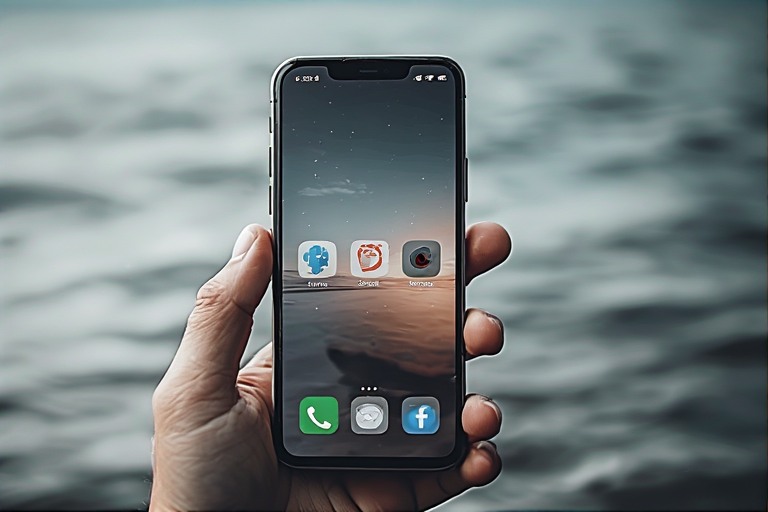
Your home screen is the first thing you see when you unlock your phone. When it’s cluttered with dozens of apps, it’s working against you before you’ve done anything. This is why creating a minimalist home screen is an essential part of the smartphone declutter process.
My recommendation is to keep your home screen to no more than 4-8 apps. Everything else goes into folders on a second screen. You can always find them in the App Library on iOS or the App Drawer on Android where you have to search for them intentionally.
The goal is to reduce decision fatigue and stop mindlessly opening your apps. When you unlock your phone and only see a calendar, maps, messages, and couple of tools you actually use, then you are far less likely to fall into an unplanned 20-minute scrolling session.
Step 5: Embrace Grayscale Mode
This step sounds minor but it’s remarkably effective. Many apps are designed with bold, vivid, saturated colors to attract you’re attention. You see this in the red notification badges, the bold purples and blues of social media. It’s all part of the design of the those platforms to keep you engaged for longer.
Grayscale mode strips that away. It remove all the color and appeal. It makes your phone visually boring and when it comes to doing a smartphone declutter to ensure you spend less time on your phone, boring is exactly what you want.
This is most noticeable on social media platforms like Instagram. Watching videos and looking at all the pictures without color makes them far less appealing and causes the platform to lose its pull.
If you aren’t convinced, I challenge you to just try it for 72 hours. Most people are genuinely surprised by how much less they reach for their phone when it has all the appeal of an old black and white TV.
On iPhone: Settings > Accessibility > Display and Text Size > Color Filters > Grayscale. On Android: it varies by device but is usually found in Developer Options or Accessibility settings.
Step 6: Audit Your Digital Habits
In hindsight, this advice may seem obvious, but you can’t fix what you don’t measure. Most phones have built in tools to show you exactly how much time you are spending on them and on what. On iOS this tool is called Screen Time. On Android, it’s called Digital Wellbeing.
Pull up your weekly report and if the numbers surprise you, then good! Use that surprise! It’s useful to encourage you to make changes!
Set daily limits on the apps that consume most of your time. Realistically, it’s probably going to be social media as that tends to be the biggest culprit for most people. There might be some surprises in there though.
A few weeks into your smartphone declutter, come back and check those numbers again. When you start to see progress, it’s very motivating.
Step 7: Make it a Ritual
At this point, you should have completed the smartphone declutter process. Now for the bad news. Digital clutter always creeps back.
Even the most well intentioned people still get digital clutter creeping onto their phones. I’m not alone in this. A month ago I cleared out 478 tabs from Safari on my phone.
478! I couldn’t believe that I’d gotten that high! Checking my phone just now, I’m already back at 53. That’s just from normal everyday use of Safari on my phone.
It’s important to remember, apps will accumulate, notifications will sneak back on, and old habits will reassert themselves.
This is why it’s so important to make your smartphone declutter a recurring practice and not a one time event. Schedule a a monthly phone cleanse. Just 30 minutes at the same time every month. Use that time to review, reorganize, and reset. Think of it like tidying your home, except for it’s for your digital life.
Once you’ve experienced the benefits of unplugging from technology and felt the difference in your focus and mental space, you will want to protect it. A monthly ritual is how to do that.

Final Thoughts
Your phone should be a tool, not a trap. By doing a smartphone declutter, you are not just making space on your device, you are making space in your mind.
Digital minimalism isn not about having less for the sake of having less. It’s about making room for what actually matters.
Ready to go further? Take a look at how to build a complete digital minimalism practice around these habits. I’ve put together an entire guide on how to perform a digital declutter, because the phone is just the beginning.